GAS NETWORK MODELING SOFTWARE

NetworkFlow

Find pressure problems and plan for new load with confidence.
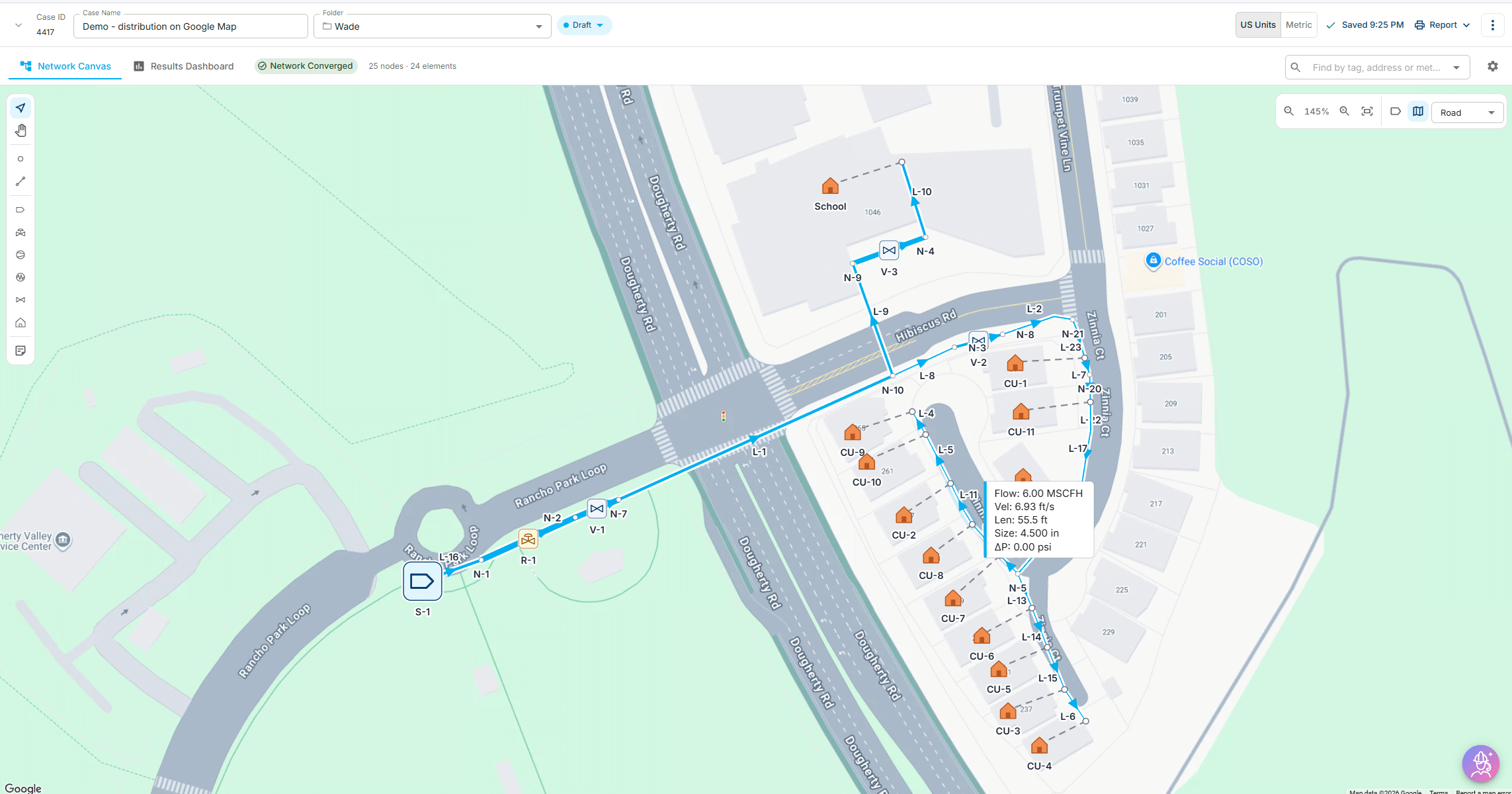
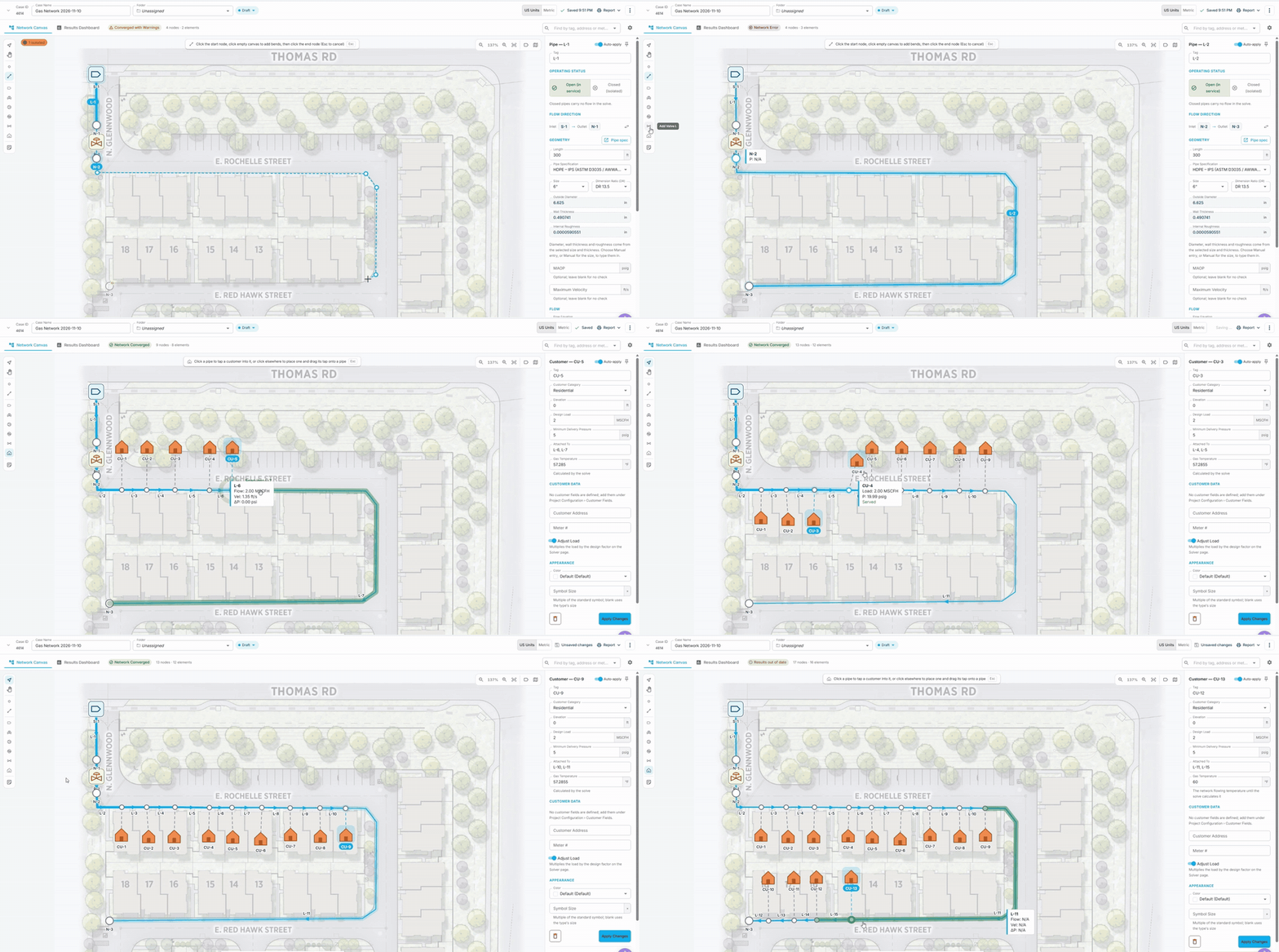
NetworkFlow gas distribution model on a Google Maps backgroundBuilding a NetworkFlow model over a site plan

What you're getting with NetworkFlow
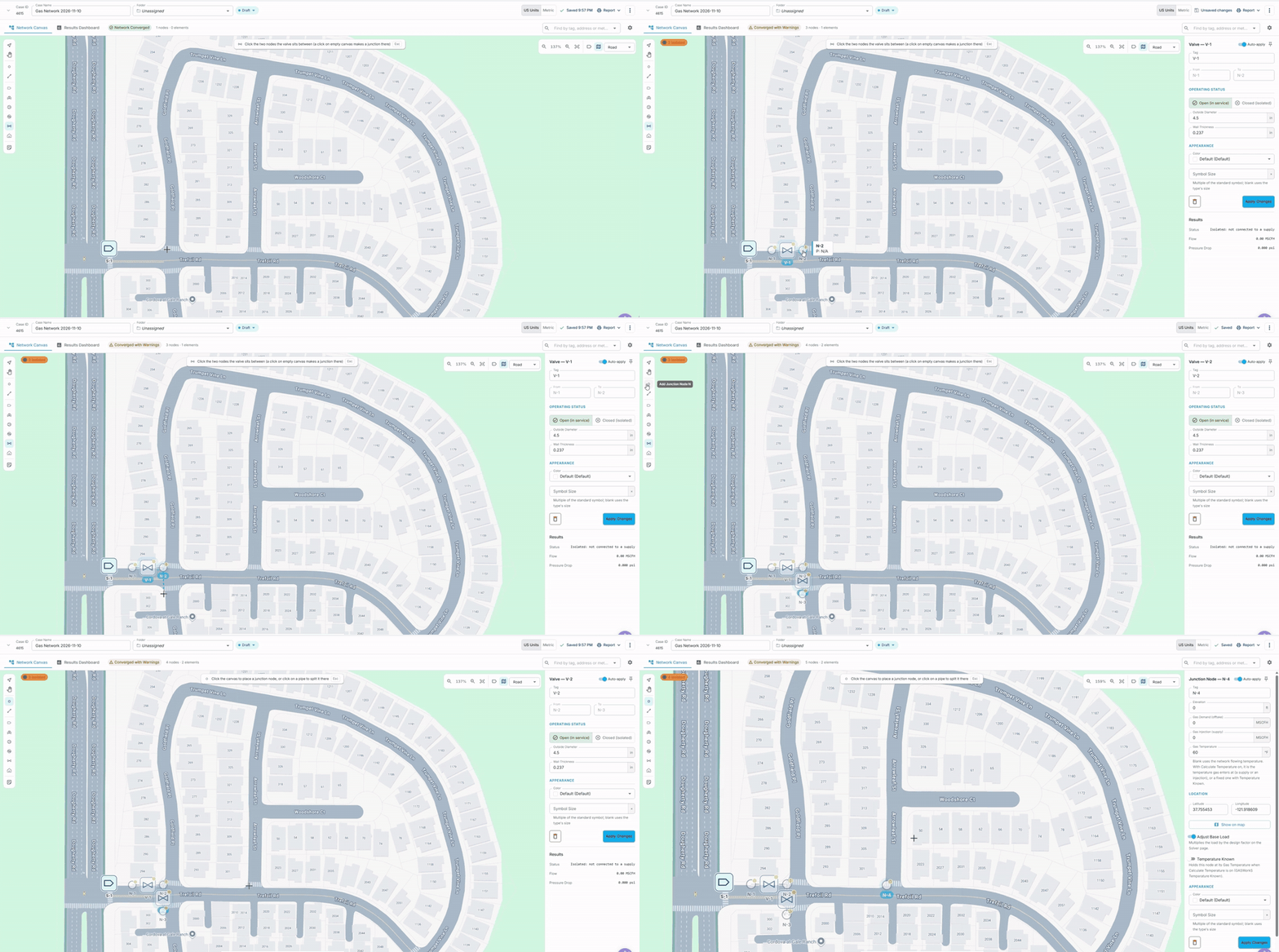
Modeling Canvas

Real-time asset status, straight from the field. 

  • Draw pipes, nodes, bends and notes on a canvas
  • Google Maps, aerial imagery, drawings or PDFs as a background, with adjustable transparency
  • Select a group of pipes and edit them in one step
  • Customers as taps, service lines and houses on the drawing
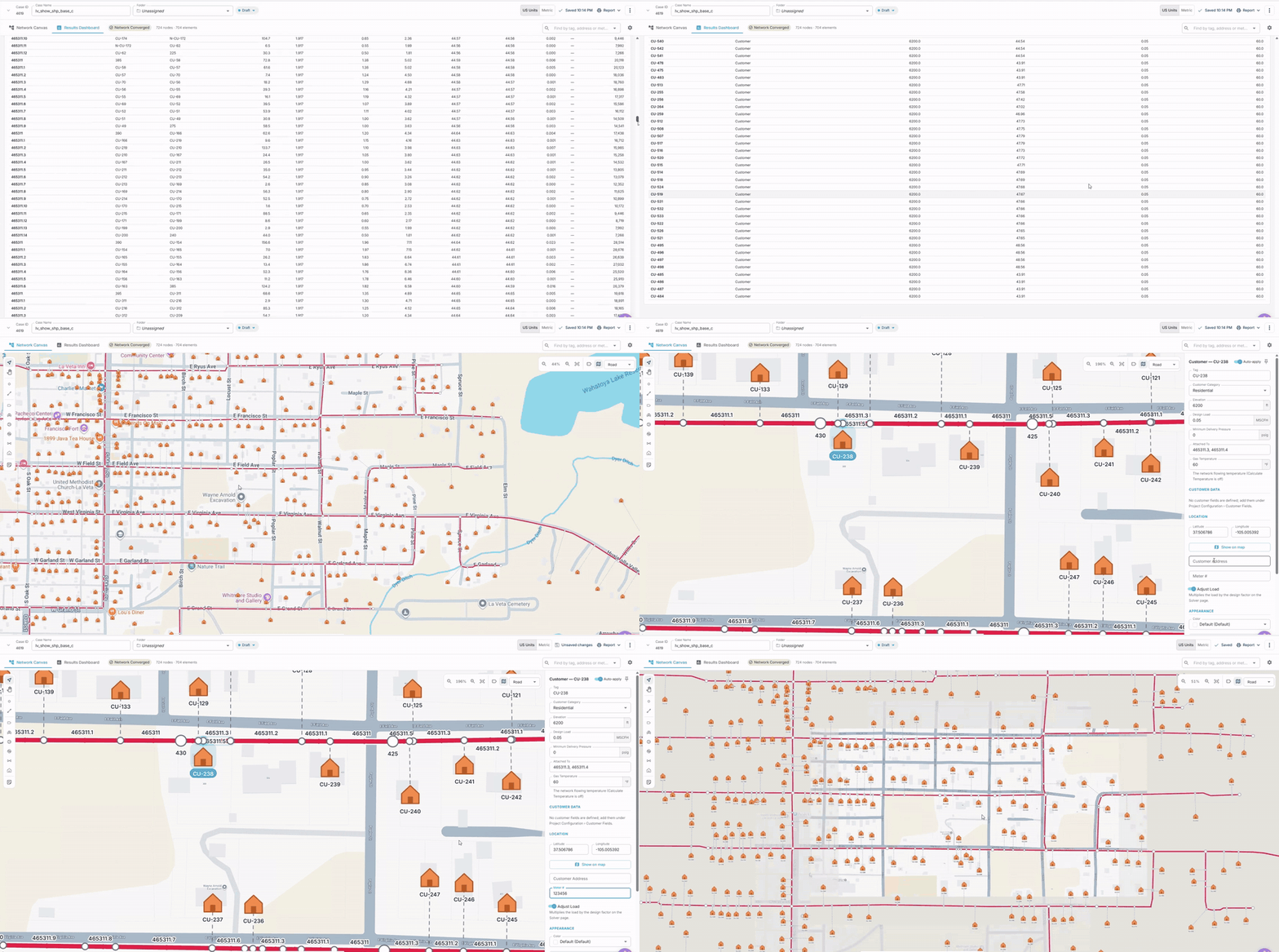
  • Find any element by tag, address or metric

Results You Can Read on the Drawing

Audit prep in minutes, not weeks 
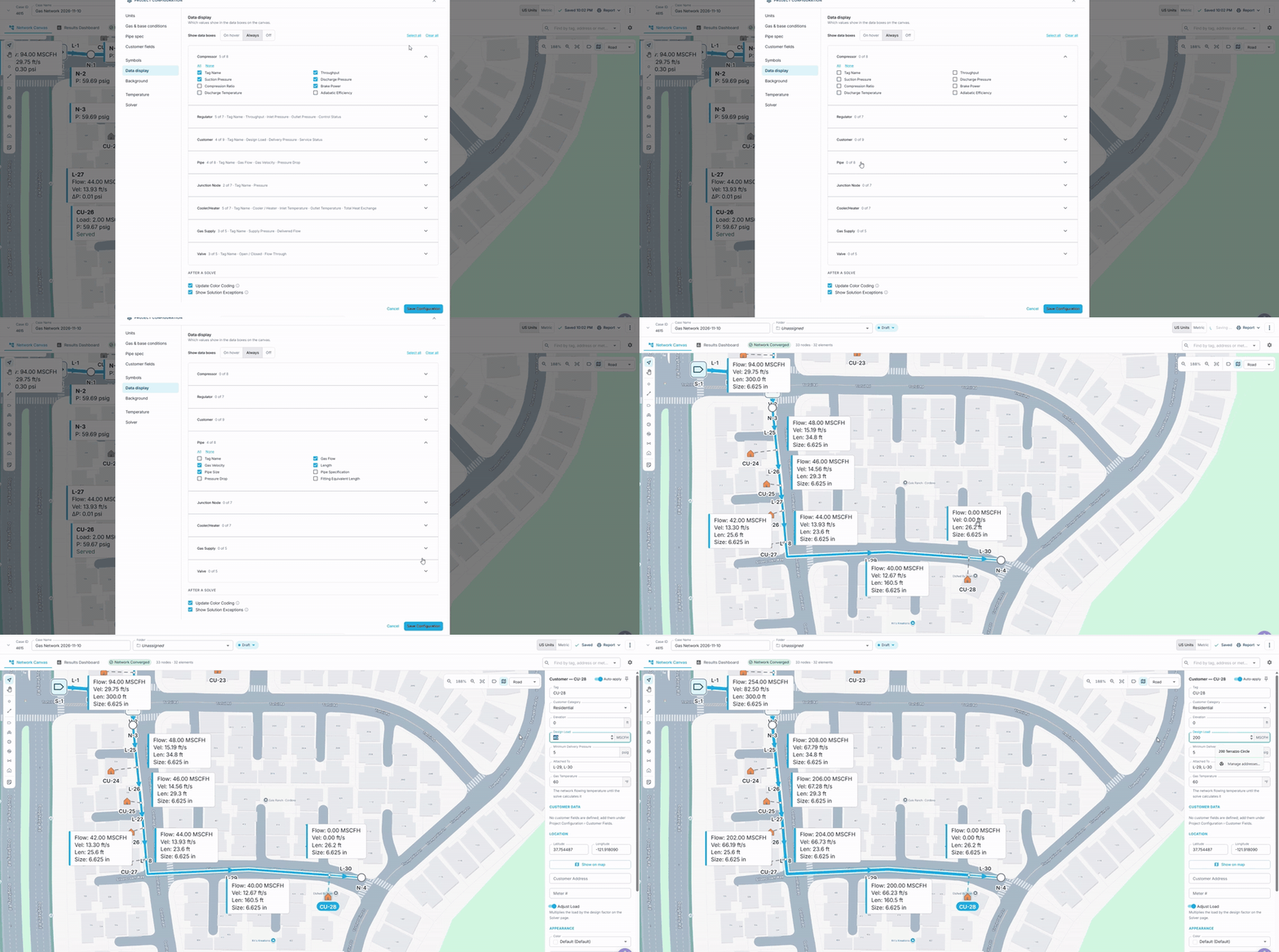
  • Flow, pressure, velocity and pressure drop labels on the canvas
  • Color-coded warnings for high pressure, high velocity and low pressure
  • Results dashboard with pressure profiles
  • Choose what shows for each element type
  • One-click reports

Engineering Depth

End the spreadsheet, IDMS, and RT-image sprawl 

  • Regulators, compressors, valves, heaters and coolers, and fittings
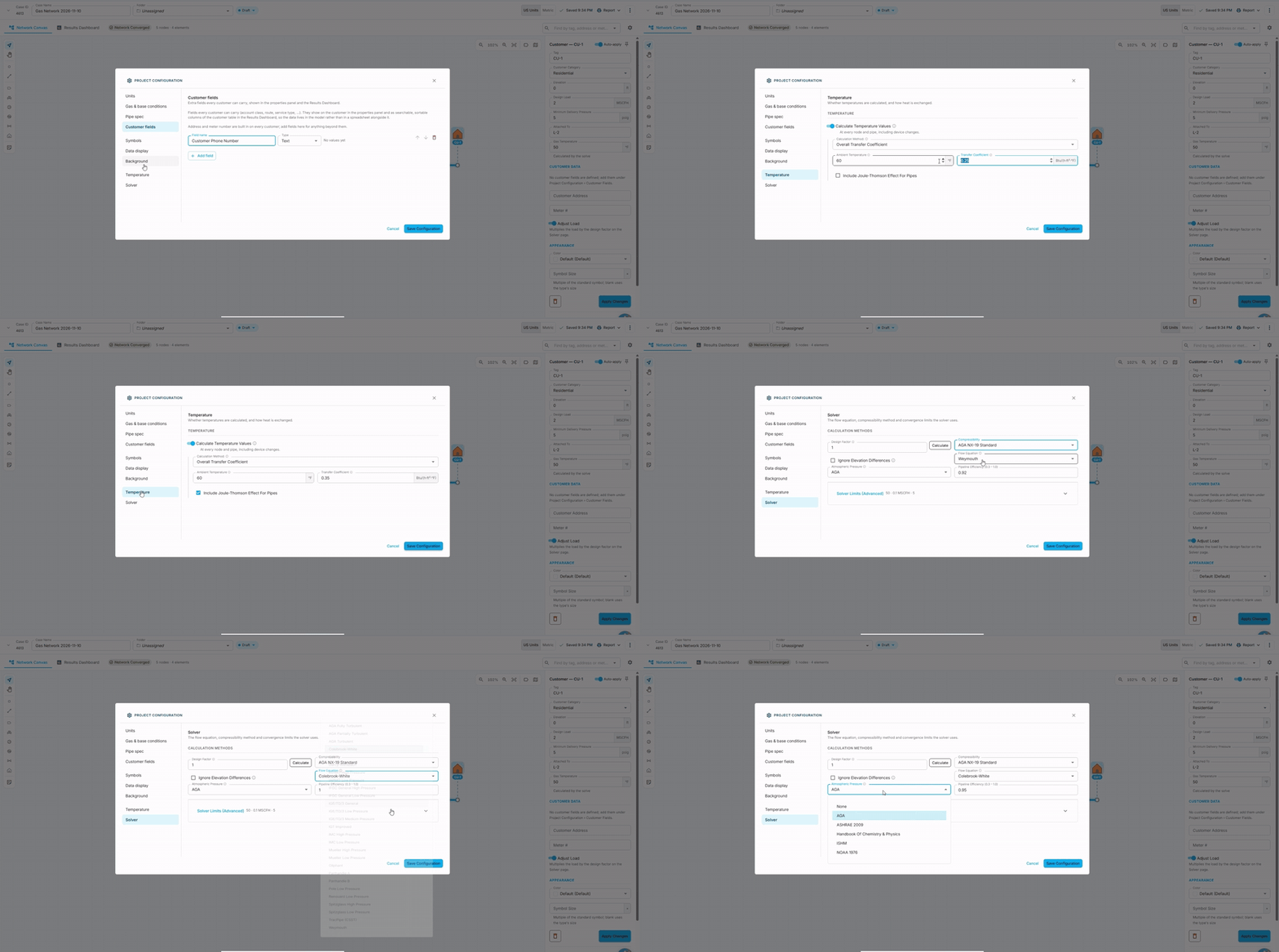
  • Any gas mix, with your choice of flow equation and compressibility method
  • Gas temperature along every pipe, including soil heat transfer and Joule-Thomson effects
  • Project pipe library and pipe specs for consistent sizing

Data In, Data Out

Condition and compliance across every asset, no manual roll-up 
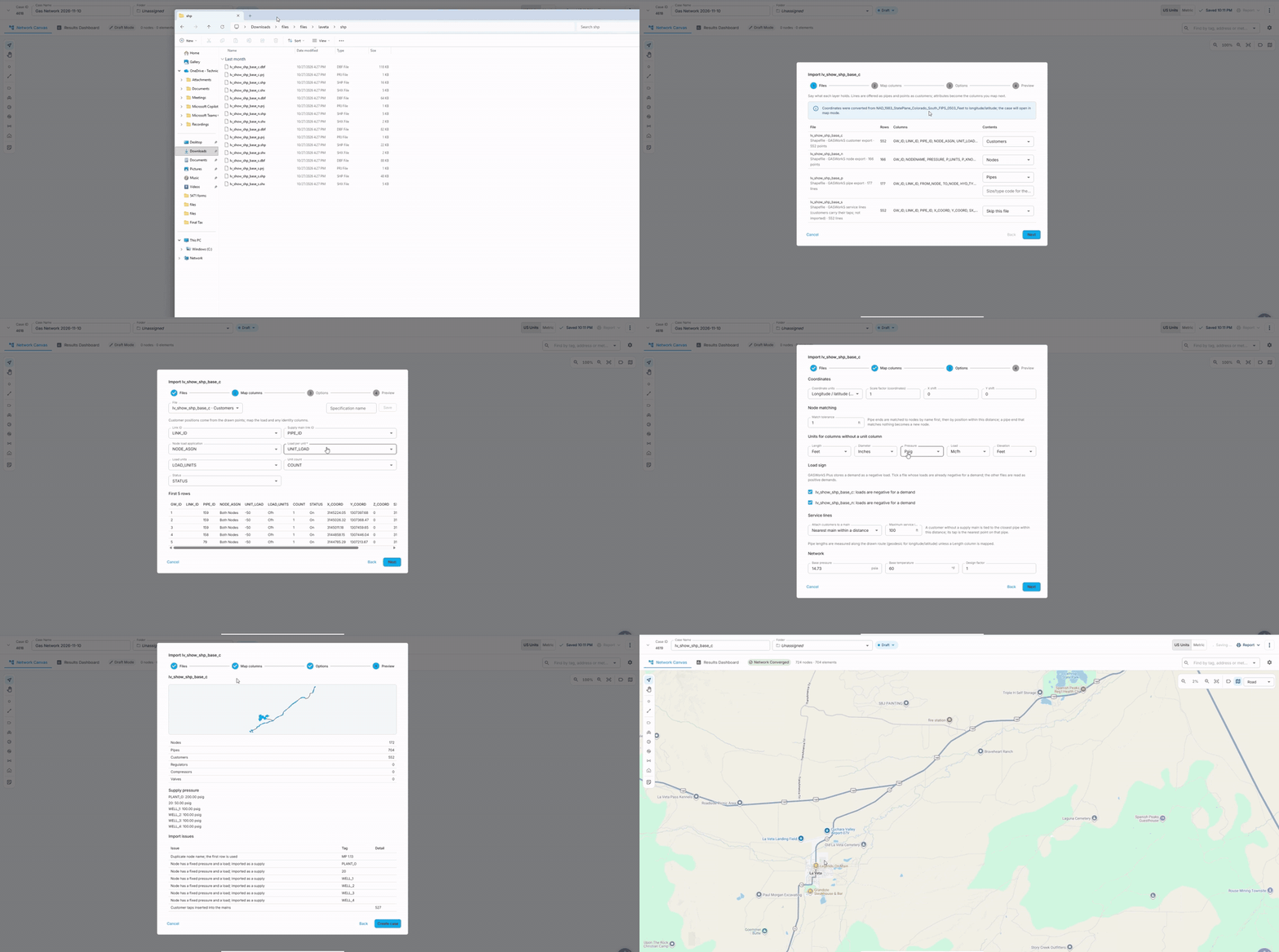
  • Guided GIS shapefile import with column mapping and an import review
  • Import existing network models
  • Custom customer fields
  • US and metric units

Workspace and Collaboration

Sits beside your EAM, no rip and replace

  • Runs in the cloud; nothing to install or update
  • Saves itself: inputs and results, every time
  • Shared workspace with folders, model locations on a map, and access controls
  • Share models by link
  • Sits alongside the Technical Toolboxes engineering calculators on the UtilityCORE platform

Explore Our Resources

NetworkFlow – Gas Modeling Overview

Model gas distribution networks, spot low-pressure areas, and test new load scenarios before committing to upgrades

See NetworkFlow in ActionÂ